
Anomaly Detected Guide & Wiki — All 9 Anomaly Types (Roblox)
Anomaly Detected overview — the Roblox spot-the-anomaly game's six chapters, nine anomaly types and veteran mode, with links into the dedicated wiki.
Anomaly Detected is the Roblox entry in the “spot the difference or die” genre — you’re locked in a looping location, something is subtly wrong each pass, and reporting the anomaly is the only way out. X Core Studios released it June 25, 2026. This page is the overview; the depth lives at anomalydetected.wikirealm.com — 16 guides.
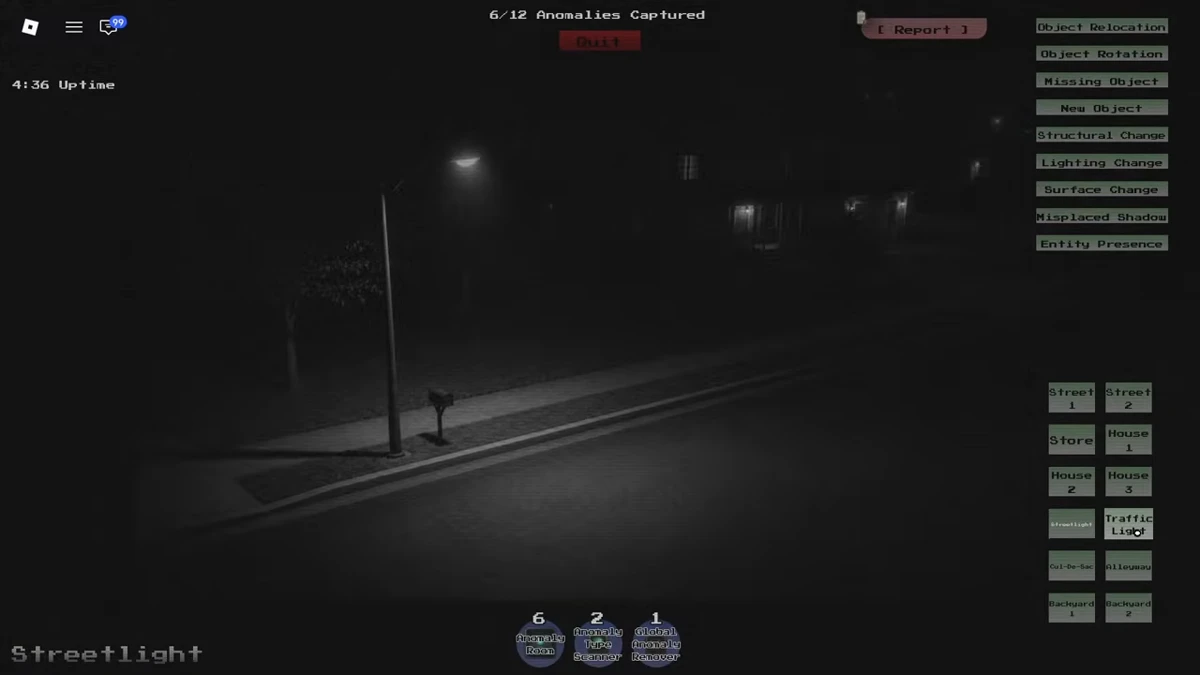
What is Anomaly Detected?
A first-person observation horror game: memorize the room, notice what changes between loops, report the anomaly type correctly. Wrong reports — or missed anomalies — end the run.
| Developer | X Core Studios |
| Platform | Roblox |
| Released | June 25, 2026 |
| Structure | Six chapter maps, each with its own anomaly pool |
| Where the deep content lives | anomalydetected.wikirealm.com |
The six chapters
Each chapter is a different location with its own anomaly catalog:
- The Residence — the tutorial house; chapter guide
- The Neighbourhood — the first open area; guide
- The School — guide
- The Hospital — guide
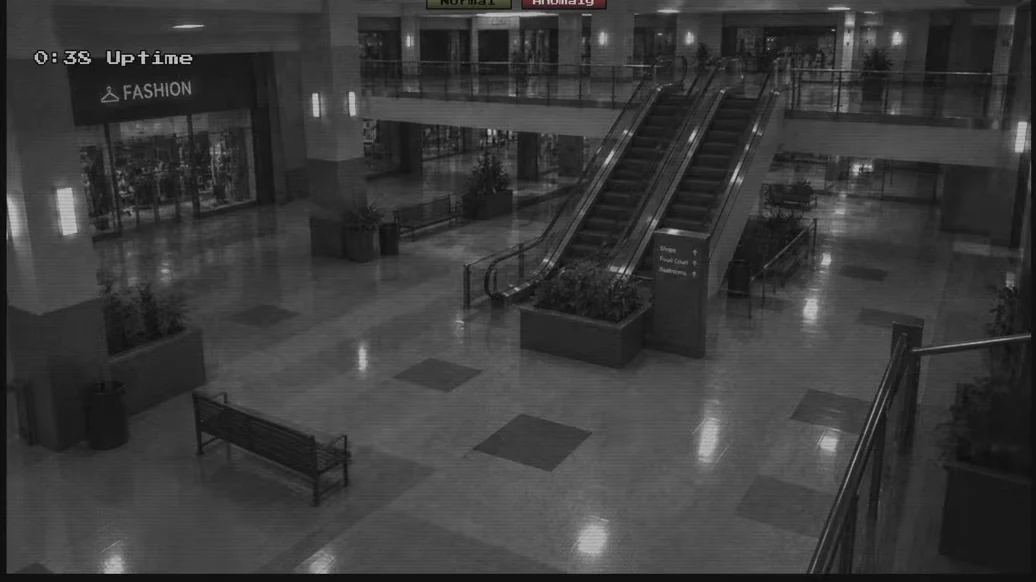
- The Mall — guide
- The Cabin — the newest chapter, with its own journal catalog of anomalies
The nine anomaly types
Reporting the anomaly isn’t just “something moved” — anomalies classify into nine types, and naming the right one is the mechanic. The anomaly types guide explains all nine — the difference between a missing object and a changed one is the difference between clearing and restarting.
What the Anomaly Detected wiki actually covers
- Chapters — all six mapped with anomaly pools per location.
- Anomalies — the nine-type taxonomy plus the Cabin’s journal catalog.
- Meta — how to play, veteran mode (the hard loop), games like it for genre-hoppers.
- Collection — all badges, store items (prices and when they’re worth it), gamepasses.
- Codes — the wiki’s honest answer: none currently exist, tracked rather than invented.
- Updates — the patch/chapter log.
Where to start
First loop? How to play — the reporting mechanic trips everyone at first. Stuck on a chapter? The per-chapter guides list what each location can throw at you. Chasing a specific anomaly? The nine-type taxonomy first — learn what you’re even looking for.
The nine anomaly types — the actual game mechanic
Reporting isn’t “something’s off” — you file under a category, and the wrong category costs a fail:
| Type | What to look for |
|---|---|
| Object Relocation | Something moved |
| Object Rotation | Something turned |
| Missing Object | Something’s gone |
| New Object | Something appeared |
| Structural Change | The room itself changed |
| Lighting Change | Lights/shadows shifted source |
| Surface Change | Textures swapped |
| Misplaced Shadow | A shadow doesn’t match its object |
| Entity Presence | Something is there |
The Cabin chapter adds a Journal catalog — 50 anomalies in that chapter alone, part of a 324-entry Journal across all six chapters. Captured entries persist as type–room pairs with a photo; undiscovered ones show as “???” until reported. Details on the types page and the Cabin journal.
More on the network
- Search For The Needle — the other observation-game Roblox pick
- Verity’s Game — the Roblox original with a roaming entity
- Roblox collection — all five Roblox wikis
- Horror games collection — Anomaly Detected also sits in the scare lane
Numbers here trace to the Anomaly Detected wiki — including the honest “no codes” page instead of an invented list.
Sources
This article was compiled with AI assistance and checked by the site operator against the sources linked on this page — it is not based on first-hand play. Last checked: 10/14/2026. Editorial policy
Related Articles
AION 2 Guide & Wiki — Classes, Dungeons & Abyss PvP
AION 2 overview — NCsoft's October 2026 MMORPG launch, its 8 classes, 219 dungeons, 98 servers and Abyss sieges, with links into the dedicated wiki's 43 pages.
Last checked Oct 14
Crimson Desert Guide & Wiki — Bosses, Traversal & Faction Quests
Crimson Desert overview — Pearl Abyss's open-world action game, its climbable bosses, three playable characters and Pywel, with links into the dedicated wiki.
Last checked Oct 14
Elden Ring Guide & Wiki — Overview, Editions & Malenia Numbers
Elden Ring overview — every edition explained (Shadow of the Erdtree, Tarnished Pack, Nightreign), boss stats and a route, with links into the dedicated wiki.
Last checked Oct 14
Was this helpful?
Thanks for the feedback!